
Create a Post
Here's a step-by-step guide to creating content from the DigiMe editor:
- Open the Editor: Once logged into DigiMe, navigate to the day/date when you want the post. Click on the + icon.
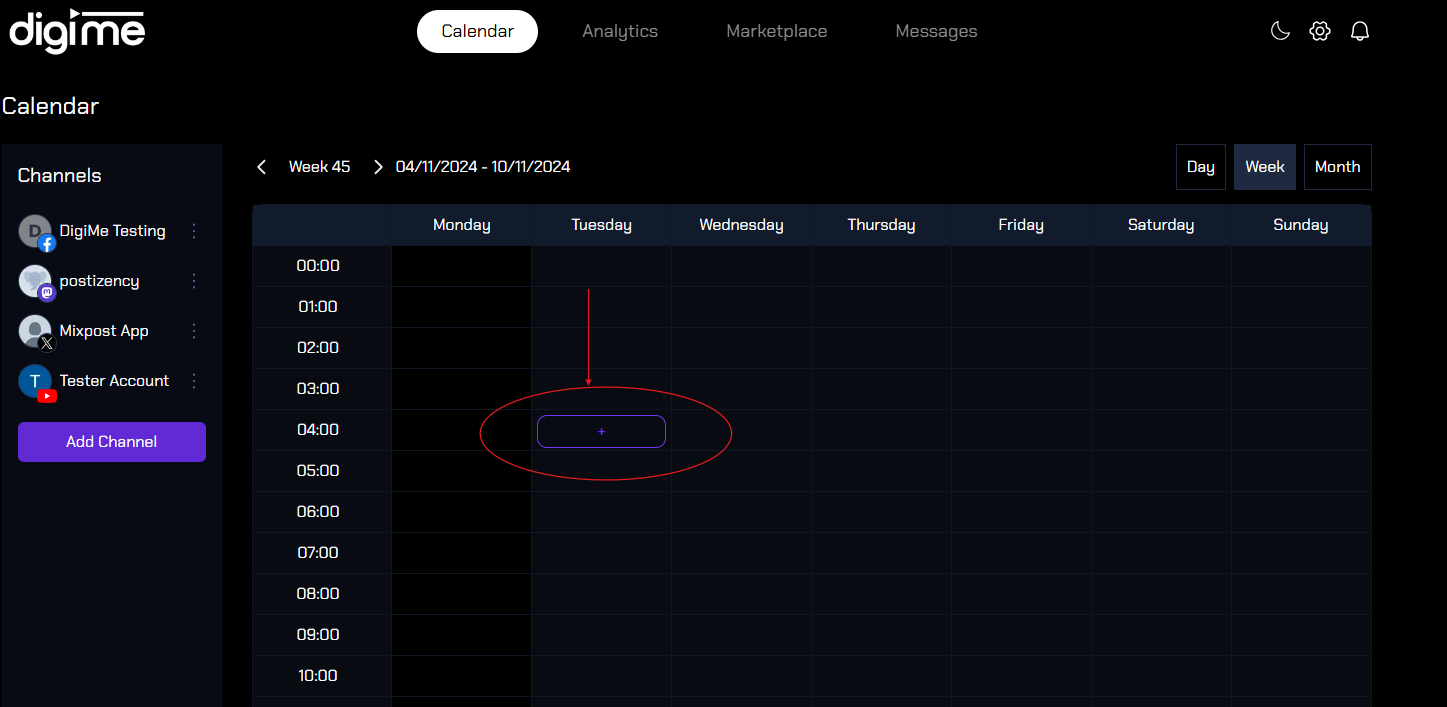
- Select Social Platforms: Choose the platforms where you want to publish the content (e.g., Instagram, Facebook, Twitter).

- Compose Your Post:
- Manual creation: Write your message in the text box. DigiMe allows you to tailor content for each platform with previews, ensuring it looks perfect.
- AI Content Assistant: With the click of the pencil on the right corner of the Create a post box, you can ask the AI Assistant to create the content for your post. Just ask to create the post topic you need and it will make the content for you.

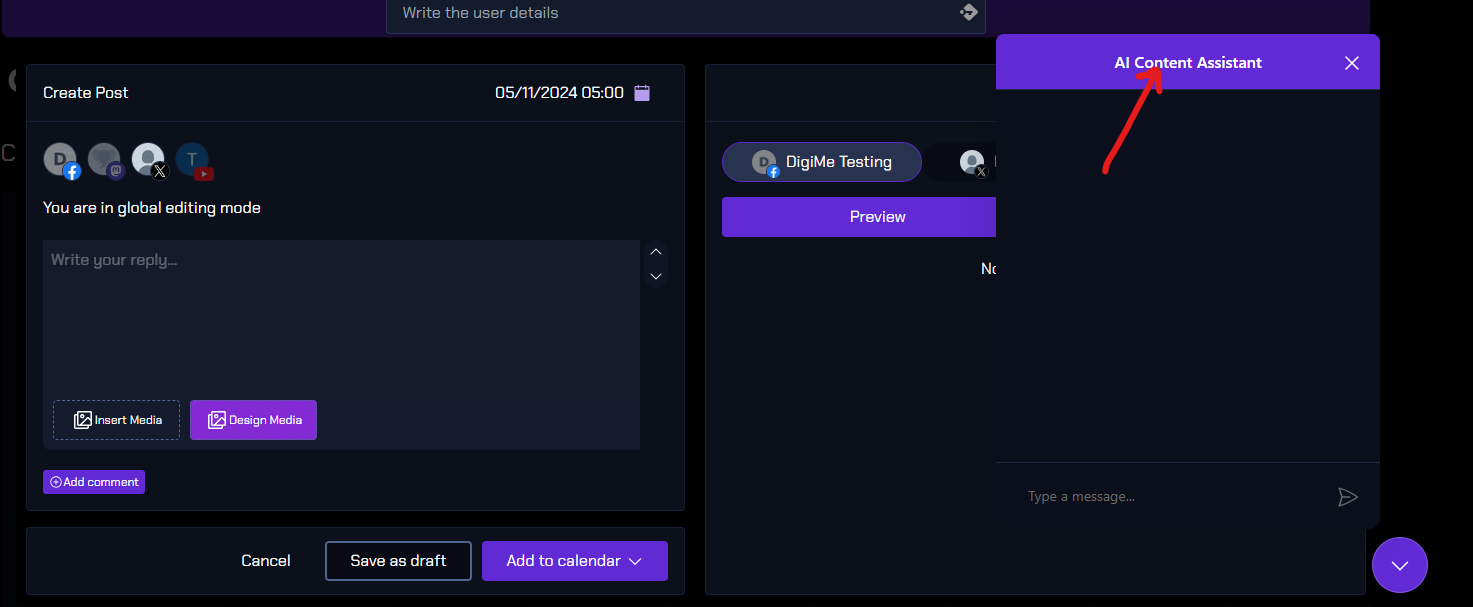
- Add Media: Upload images, videos, or GIFs by clicking the "Add Media" button. DigiMe may offer editing tools creating images and also for basic adjustments.

- Add Hashtags & Emojis: Use hashtags to increase visibility, and emojis to make the post more engaging.
- Optimize with Tags and Links: Tag relevant pages or add links as needed, depending on the platform.
- Set Publish Date & Time: Schedule your post by selecting a specific date and time, or save it as a draft for review.

- Preview and Finalize: Check how the post will appear on each platform, make any final tweaks, and hit "Schedule" or "Post Now" to publish.




With these steps, you can create and tailor content efficiently across platforms, keeping your social media presence consistent and engaging!